Free bookkeeping software for businesses and rentals.
OsaBooks takes your bank transactions and turns them into GST or sales tax returns, rental schedules, tax figures and reports. It works for businesses, rental owners and households in Australia, New Zealand, the United States and South Korea.
Only 10 of 15 free online accounts still available
- No subscription
- Runs on your computer or online
- AI is off unless you turn it on
- Imports from Xero and QuickBooks
Get OsaBooks
Free, and it runs on your own computer. Choose how you want to run it.
Windows installer
One file: download it, double-click it, and OsaBooks opens in a window of its own. For Windows 10 and 11, 64-bit, about 100 MB.
Your books are files in a folder called OsaBooks in your user folder. Upgrading or uninstalling never touches them.
Download OsaBooks-Setup.exe The installer is not signed yet, so Windows says the publisher is unknown. Choose More info, then Run anyway. All releasesFrom the code
- Install Node.js (the LTS version) from nodejs.org.
- Download the code as a ZIP from GitHub and unzip it.
- Double-click OsaBooks.cmd on Windows or OsaBooks.command on a Mac.
OsaBooks opens in your browser. Your books are plain files in the folder.
Steps on GitHubIn your browser
Open OsaBooks and start. Your books stay in that browser, which is fine for trying it out. For books you depend on, use one of the other two, or keep them online with a free account.
Open OsaBooks Or try the demo on invented books first.OsaBooks is free. Donations keep it going.
There is no subscription and no paid version. One person builds it and updates the tax rates and rules each year. If it saves you an hour of your accountant's time or a software bill, a donation is welcome.
What it does
OsaBooks is a full double-entry set of books, not only a bank statement importer. It also does some of the work an accountant usually charges for.
It learns your coding
OsaBooks writes its rules from how you or your accountant coded lines before. You don't type keywords, and when you correct a line it remembers.
GST, BAS and VAT
Each period's return is worked out from your coded lines: BAS in Australia, GST in New Zealand, VAT in South Korea, and state sales tax in the US.
Tax figures
Australia's tax estimate and rental schedule, New Zealand's IR3 and IR10, South Korea's income tax, and US Schedules C and E. Each owner gets their own share.
Rentals
Each property has its own owners and its own rental schedule, with last year's figures beside this year's. Property manager statements go in too.
Payroll
Pay runs with the tax and leave worked out: PAYG withholding and super in Australia, PAYE and KiwiSaver in New Zealand.
AI is optional
Everything works without it. If you turn it on, it can suggest codes for lines it hasn't seen before, read statements, and check a finished year. Nothing is saved until you accept it.
Matching
It recognises transfers between your own accounts and invoices paid in parts, and splits a Stripe payout into the sale, the surcharge and the fee.
Assets and vehicles
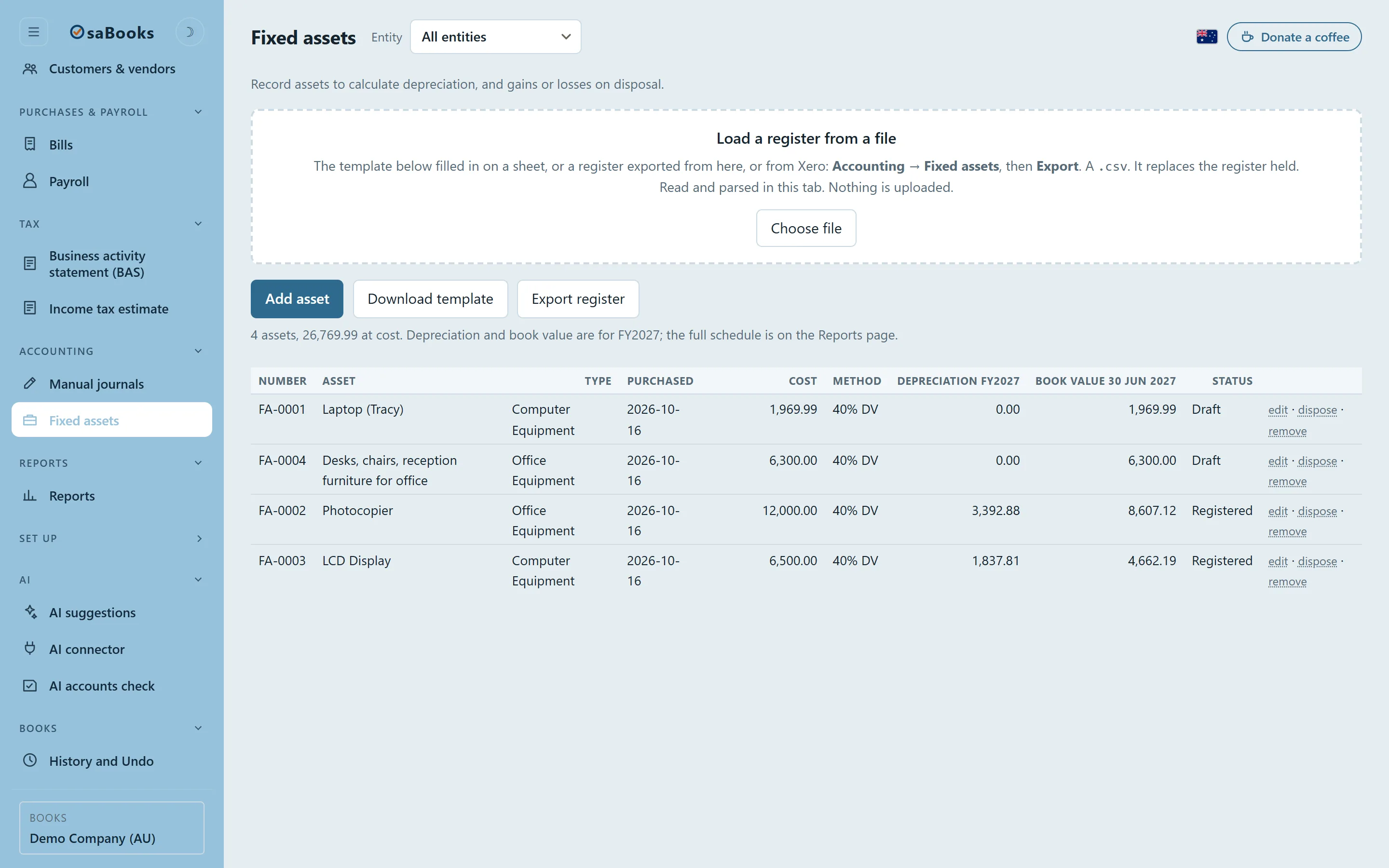
A fixed asset register with depreciation and disposals, and vehicle trips claimed at the per-kilometre rate.
Double entry
Every line goes into a double-entry ledger. If something is wrong, the books don't balance and you can see it.
How a bank line gets into the books
Two examples you can click through: a deposit coded to sales and GST, and an invoice matched to the payment for it.
| DATE | BANK LINE | AMOUNT | RECONCILE | POSTED TO | DEBIT | CREDIT |
|---|
| SOURCE | REF / ID | CONTACT / BANK LINE | MATCH | CODE | ACCOUNT NAME | DESCRIPTION | DEBIT | CREDIT |
|---|
Accounts receivable (610 AR) Waiting for Invoice
This account tracks who owes you money. When you issue the invoice, $225.00 goes into Accounts Receivable straight away, so you can see what is still owing.
GST on the payments basis (820 GST) 0.00 Reportable
On the payments basis, the $29.35 of GST isn't due to the tax office until the customer's payment arrives in your bank and you click the green tick.
Bank feeds, or statement files
Connect your bank and new transactions arrive ready to code. US banks connect through SimpleFIN, New Zealand banks through Akahu, and Wise works anywhere. You can also import statement files from any bank. A line that has already been imported isn't counted again.
Your bank login and tokens stay with you. On your own computer they are stored on that computer only.
Bank feedsSimpleFIN for US banks and Akahu for New Zealand's main banks. The connection is your own.
WiseBalances in several currencies, with each amount shown in your account's currency.
Statement filesCSV, OFX and QFX files from banks, cards and loans. Duplicates are spotted.
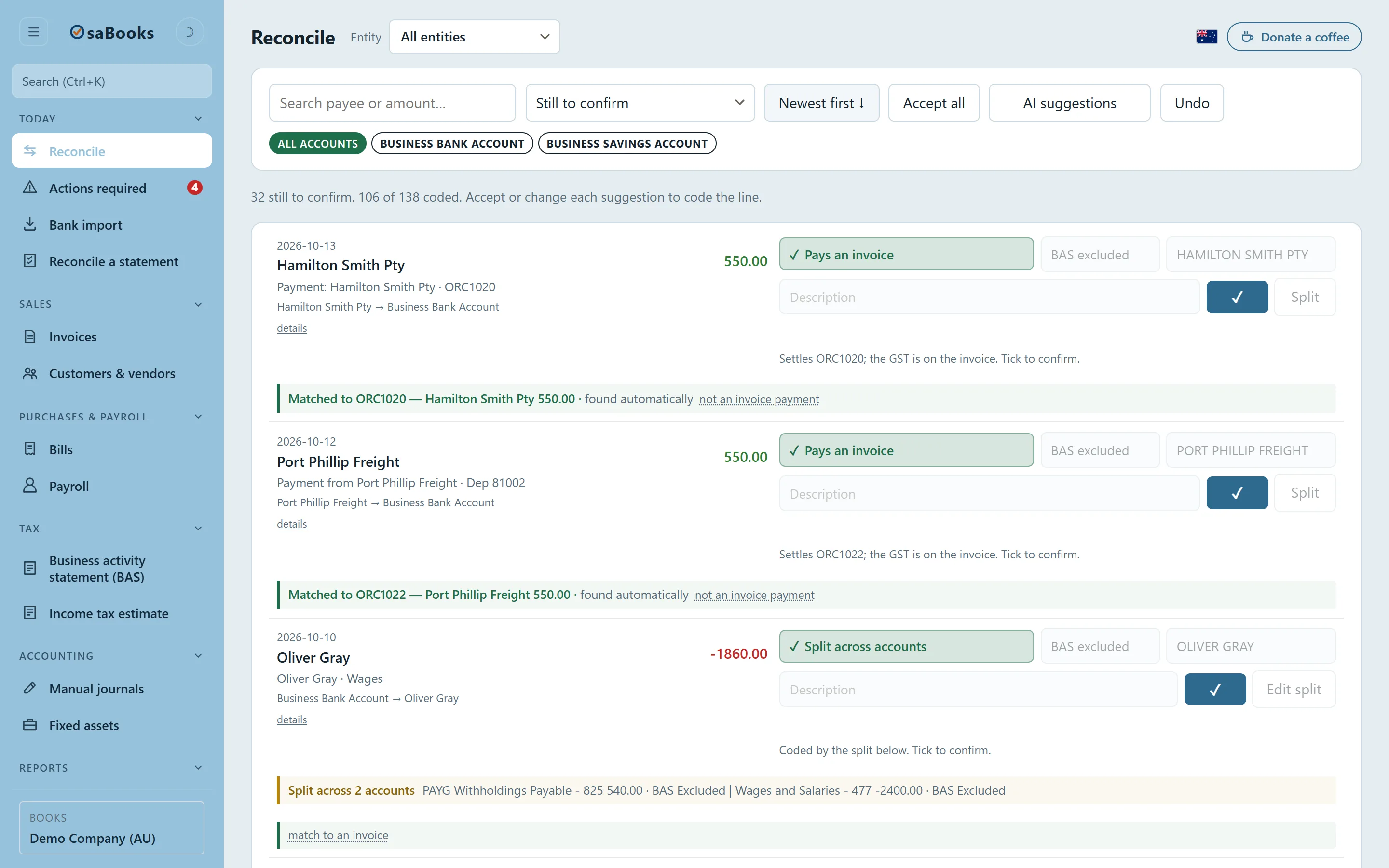
Bring your old coding and most lines code themselves
Load your coding from Xero, QuickBooks or a spreadsheet. OsaBooks compares its own suggestions with what was actually done, and writes rules where the two agree.
- Accept the lines it is sure of in a few clicks. The ones it disagrees on are listed separately.
- A line it can't place is left for you. It doesn't guess.
- Split a line between accounts or between people.
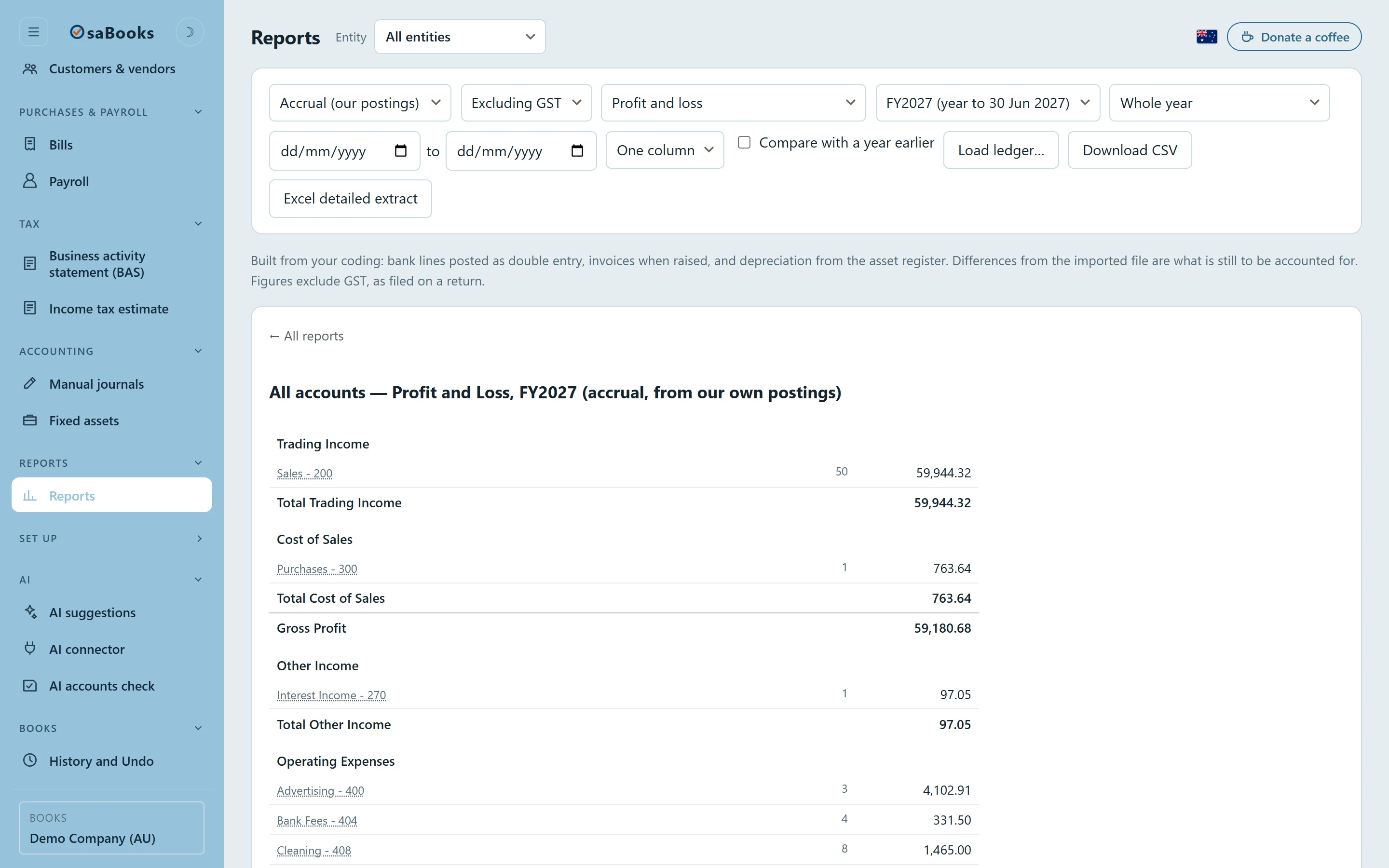
Returns worked out from your coding
Each period's return is built from the lines you have coded. It is up to date whenever you open it, and you don't type anything twice.
- The return your country uses: BAS, GST, VAT or US state sales tax.
- Transfers are left out of returns, and refunds go in the correct box.
- Each owner of a shared rental can file their own share.
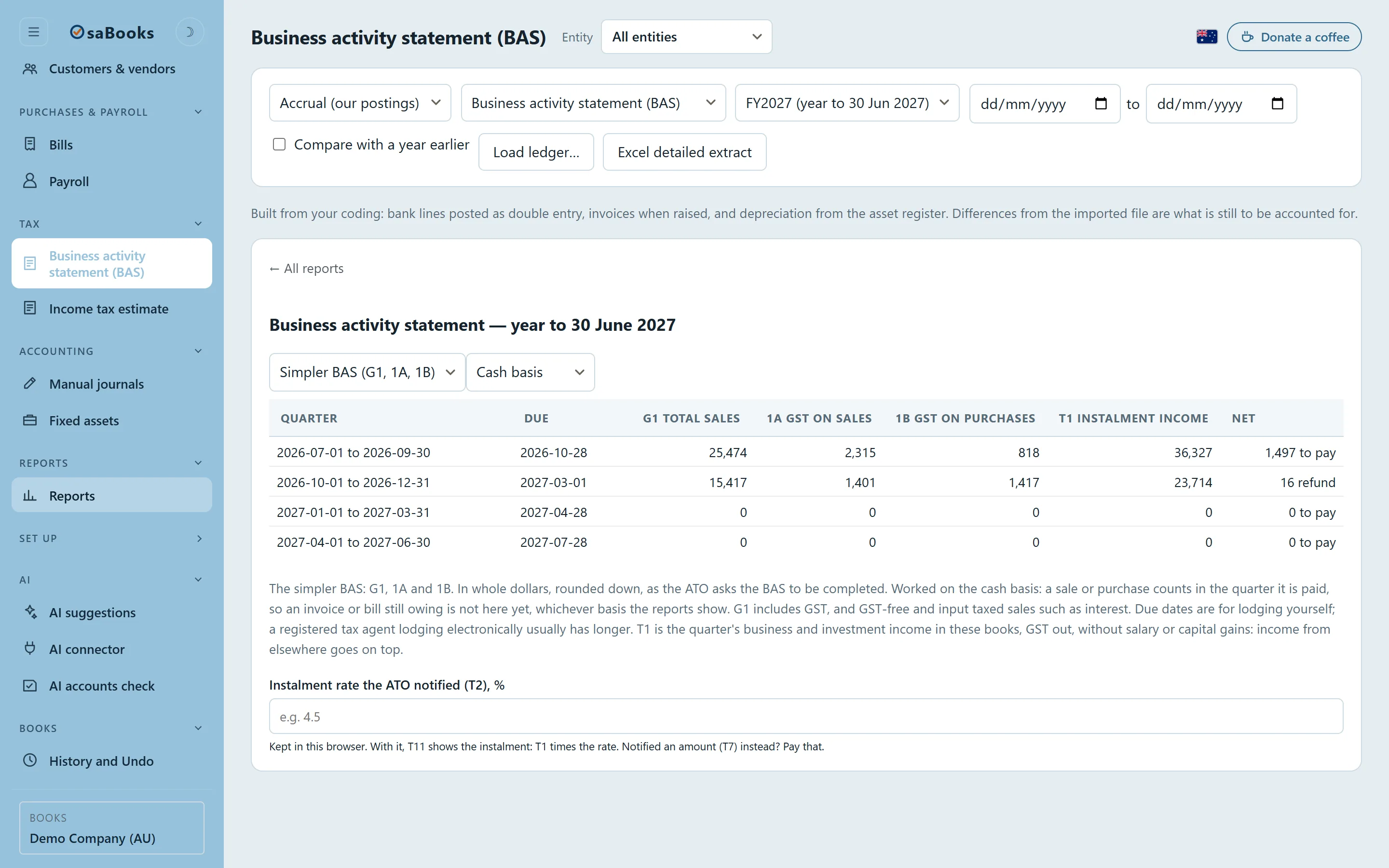
Rental schedules and tax figures for your accountant
Each property has one card for the year, with its schedule, the property manager's statements and the trips made to it. Each owner's share carries into their own tax figures, and the asset register works out the year's depreciation.
- Enter property manager statements by hand, or have AI read them.
- Your country's forms and schedules, filled in from your books.
- Tested on a full year against an accountant's signed accounts, and it matched to the dollar.
Where your books are kept, and who can see them
On your own computer
Your books are plain files in a folder. You can back them up and read them without OsaBooks. Nothing leaves the computer unless you connect a bank feed or AI.
Or online
Use your books from any device with a free OsaBooks account, or host them on your own Supabase project, where you control the database. Two-factor sign-in is available.
With your accountant
Invite your accountant or bookkeeper to your online books and choose what each of them can do. Lock a finished year and any later change is recorded.
Moving from Xero or QuickBooks
Import your files and OsaBooks shows its figures beside theirs, so you can check they agree before you switch.
Backups
A backup is one file holding the books, the rules and the history. It restores into any copy of OsaBooks on any computer.
Open source
Free software under the GNU AGPL. The code is on GitHub, so you can see how any figure is worked out or run your own copy.
Guides
Guide for owners
What OsaBooks does, how to set it up, and where your books are kept. You don't need an accounting background.
Guide for accountants
How every figure is posted, the three accounting bases, and how to check the books against a signed set of accounts.
Hosting it online yourself
How to put your books online on your own Supabase project and web hosting, step by step. You can do it yourself or with an AI assistant.
Coming next
The features still to be built, by country and by part of the app.
Try the demo first
The demo books are invented: a coffee roastery with two rentals, part way through a year. Change anything you like. None of it is real.